
1xbet Account Guide
1xbet Account
Your 1xbet account is where personal details, payment methods, verification status, bonus history, betting history, and security settings all live. Most of the friction people hit later — a slow withdrawal, a bonus that won't credit, a login that suddenly gets flagged — traces back to something small that was skipped or entered incorrectly during the first few days of using the account. Getting the basics right at the start saves real time later.
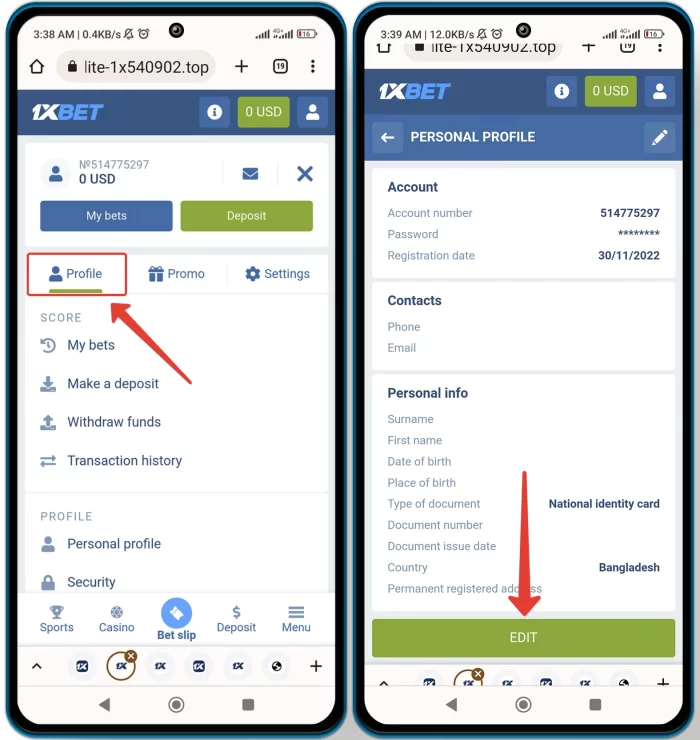
This page walks through the setup steps that matter, in the order they matter. The single most important item is name and date of birth: these must match your government ID exactly, because they are checked against the document you upload during KYC (identity verification), and any mismatch — including a middle initial, an alternate romanization of a Korean name, or a swapped day/month in the birthdate — is the number-one cause of withdrawal delays. Fix it before you deposit, not after.
Password choice and 2FA come next. Use a password that combines upper and lower case with numbers and, if the field allows, a symbol; do not reuse a password you use anywhere else. If two-factor authentication is offered in your account settings, enable it — this alone blocks the vast majority of account-takeover attempts that come from leaked passwords elsewhere on the internet.
Country and currency are set at registration and cannot be changed by the user afterward. If you selected the wrong country or currency, you need to contact support and request a change; do not create a second account, since duplicate accounts are suspended on discovery.
KYC (identity verification) is required before large withdrawals and any time the system flags a review. The document list below is what to have ready.
What to set up right away
- Name and date of birth — must match your ID exactly. Mismatches are the most common cause of withdrawal delays.
- Password — mixed case + numbers, unique to this account.
- 2FA — enable it if the option is available in your account settings.
- Country and currency — chosen at registration, not user-changeable afterward. Contact support if wrong.
- Contact channel — keep the phone number and email you registered with active; password resets go there.
Identity verification (KYC)
Requested before large withdrawals or whenever the system opens a review. Typical documents:
- Government-issued photo ID (passport or Korean resident registration card).
- Proof of address issued within the last 3 months (utility bill, bank statement).
- Card verification (front/back of card with sensitive digits masked) if you deposited by card.
Upload in Account → Verification. Approval usually completes in 24–72 hours.