
1xbet Korea Login Guide
1xbet Korea Login
Signing in to a working 1xbet account usually takes a few seconds — enter your ID, enter your password, pass the captcha or 2FA prompt if one appears, and you're in. When login fails, though, the cause is almost always one of a small set of predictable issues rather than a real problem with the site: a mistyped password, an account registered on a different country domain, a temporary lock after several bad attempts, an SMS code that didn't arrive because of a carrier delay, or a new account that's still waiting for identity verification to unlock full features.
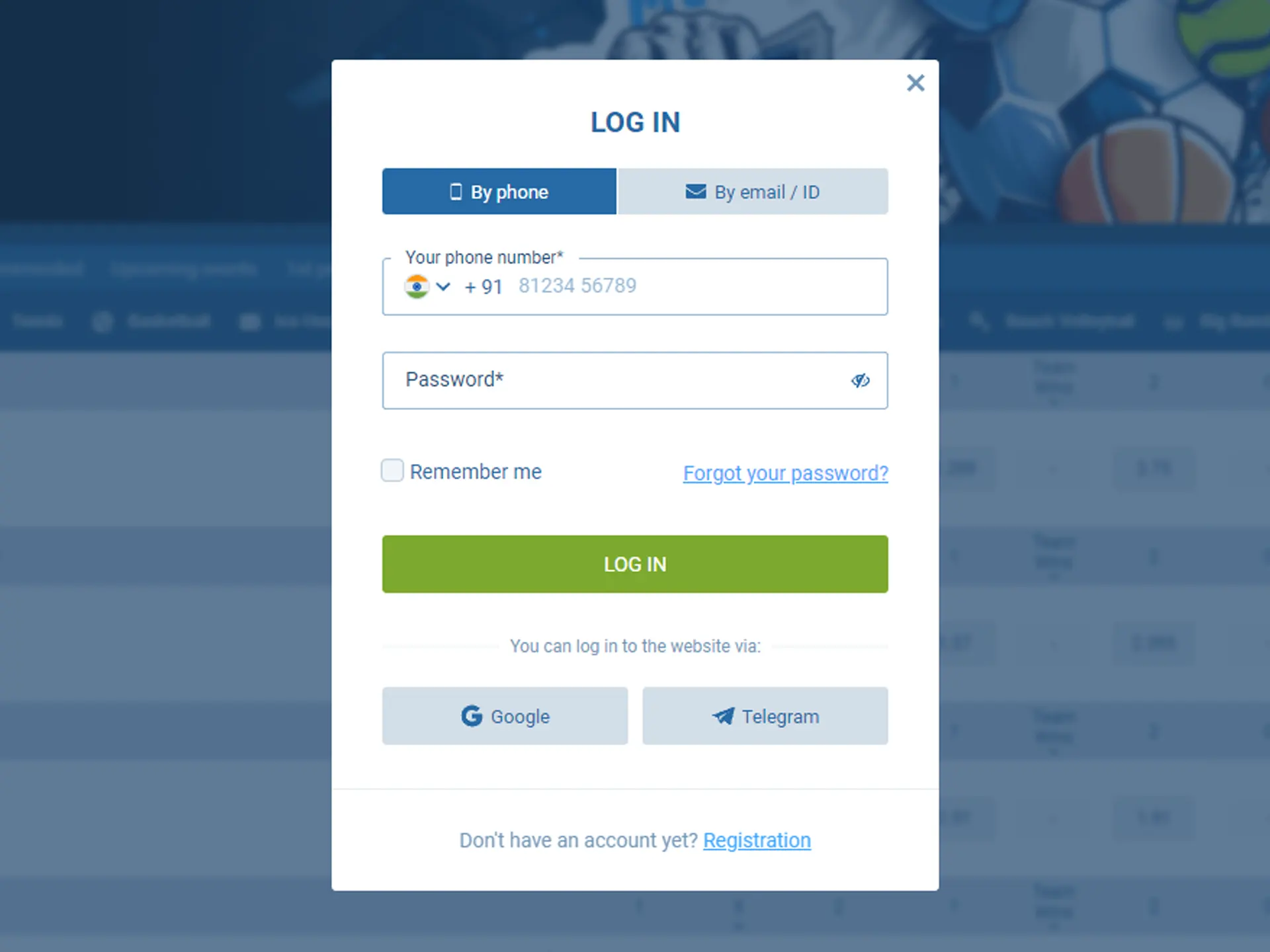
This page walks through the normal login flow first, then a troubleshooting table that maps each common symptom to its actual cause and the fastest way to resolve it. It is written so you can find your specific issue by symptom rather than reading top-to-bottom.
A few things worth knowing before you start troubleshooting. Your 1xbet ID is tied to the country you selected at registration, so if you originally signed up on a different regional version and are trying to log in through a Korea-focused entry point, the account may simply not exist on the domain you're using — the fix is to sign in through the version you registered on, not to create a new account. Password resets are self-serve and use whichever contact channel you registered with (email or SMS); if you registered by phone, the reset link goes as a text, and if you registered by email, it lands in your inbox (check spam first). Two-factor authentication, if you have it enabled, requires the current code from your authenticator app — SMS-based 2FA can lag by a minute or two on some carriers, so wait before requesting a new code.
If a login problem persists after the checks below, 24/7 support is available by phone at 00308 321 0407, live chat, and email.
Sign-in flow
- Click LOG IN at the top right of the site.
- Enter your account identifier — phone number, email, or account number.
- Enter your password.
- Complete the captcha or 2FA prompt if one appears.
When it doesn't work
| Symptom | Cause and fix |
|---|---|
| Wrong password | Use Forgot password to reset via email or SMS. |
| "Account not found" | You may have registered on a different country domain — try the version you originally signed up on. |
| Locked after several failed attempts | Wait a few minutes and try again; do not spam the login button. |
| SMS code doesn't arrive | Check signal, request a new code after 60 seconds. Persistent failure → contact support. |
| Account pending verification | New accounts need to complete KYC before full features (including withdrawals) unlock. |
If the problem continues, contact 24/7 support at 00308 321 0407.
Next → Account management · Mobile access